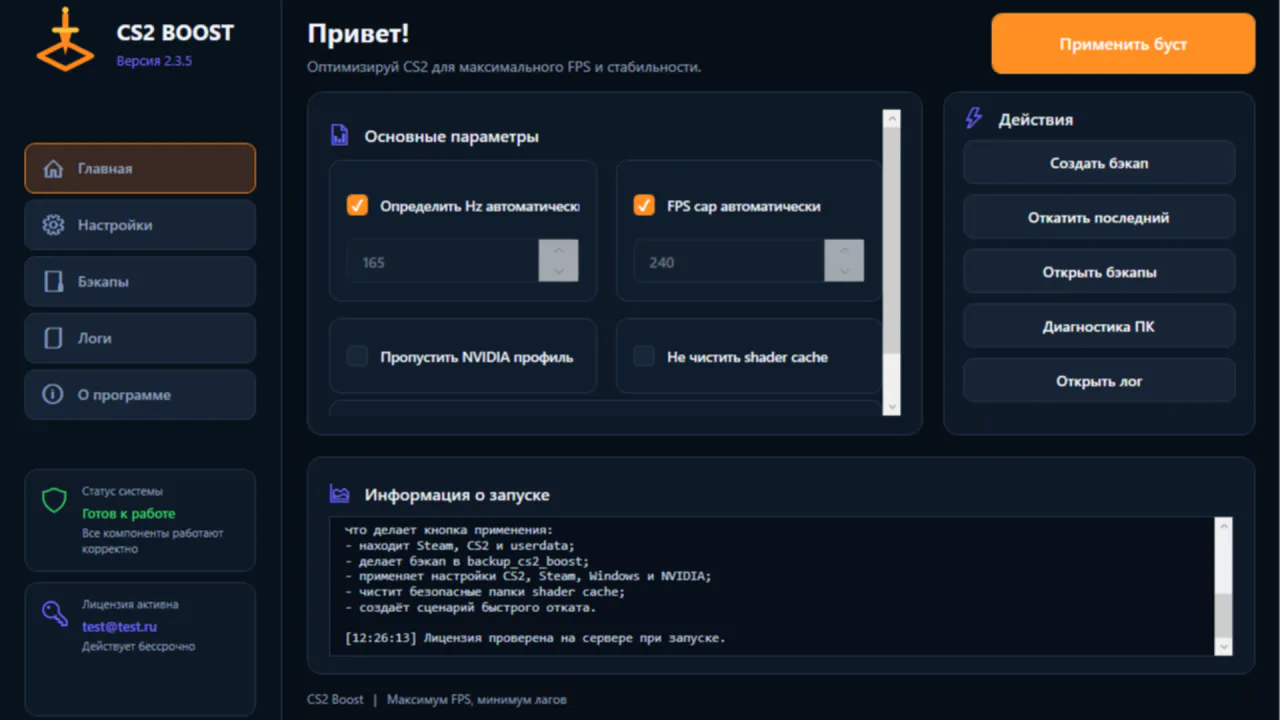
Description
CS2 Boost is a convenient single .exe file application that helps quickly apply a set of verified settings for Counter-Strike 2. The program finds installed CS2 and Steam, backs up current settings, applies game, Windows and NVIDIA profile optimizations, and helps rollback changes if needed.
How to Install
- Download the file
CS2BoostLauncher.exe.
- Run the file.
- Enter email and license password.
- Click "Activate".
- After successful activation, click "Apply boost".
- Confirm Windows UAC request.
- Reboot Windows.
What It Does
- Automatically finds Steam, CS2 and userdata.
- Creates backup of settings.
- Configures CS2, Steam, Windows and NVIDIA profile.
- Clears safe shader cache folders.
- Creates rollback capability.
How It Works
The application contains the necessary PowerShell script and configuration inside. After launch, it verifies the license through the site's secure HTTPS API, then runs the configuration with administrator rights via the standard Windows UAC prompt.
Rollback
The application has a "Rollback last" button. Backups are saved in the backup_cs2_boost folder.
Requirements
- Windows 10/11 64-bit.
- Internet for activation.
- Counter-Strike 2 installed.
- Administrator rights to apply settings.
- NVIDIA Driver for NVIDIA profile.
OS Requirements
- Windows 10 64-bit or Windows 11 64-bit.
- PowerShell.
- .NET Framework 4.x.
PC Hardware Requirements
- Any modern processor suitable for CS2.
- 8 GB RAM or more.
- SSD recommended.
- Graphics card supporting Counter-Strike 2.
- For NVIDIA profile: NVIDIA graphics card.
1 key activates only 1 time on one device. License warranty is 1 year. After warranty, the software will continue to work provided the project continues (license hosting payment). Upon Windows reinstallation, the key/license is not preserved.
CS2 Boost is not a cheat, does not interfere with game memory, and does not modify game files responsible for anti-cheat. The program changes user settings for CS2, Steam, Windows and NVIDIA performance profile.